# Cloud Perch - Cloud Footprint Visualizations

Quickly visualize and hone-in on hot-spots in your cloud environment across multiple dimensions, including drift, ummanaged resources, cost, security, and more with Cloud Perch visualizations.

All tiers of dragondrop offer visualizations for a single managed cloud-concierge instance over time. For enterprise tiers, Cloud Perch covers all managed Jobs.

### Terraform Drift and Unmanaged Resources <a href="#id-70a5" id="id-70a5"></a>

<figure><img src="https://miro.medium.com/v2/resize:fit:700/1*2DiyjfR3x_lU8k71AWnSyQ.png" alt="" height="356" width="700"><figcaption><p>Track over time identified resources that have drifted or are not managed by Terraform.</p></figcaption></figure>

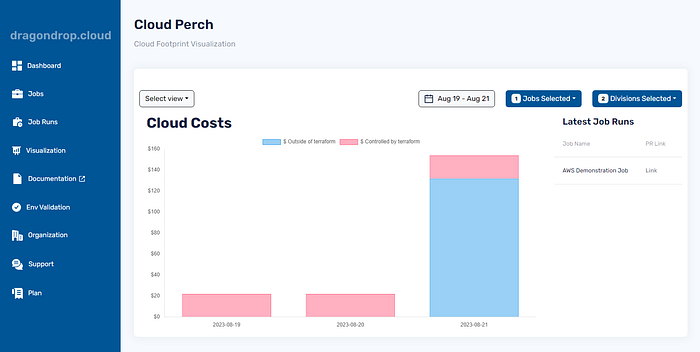
### Cloud Costs <a href="#id-6427" id="id-6427"></a>

<figure><img src="https://miro.medium.com/v2/resize:fit:700/1*bj3OED_yMbnS9rvDBryzIQ.png" alt="" height="353" width="700"><figcaption><p>Identify when costs managed and unmanaged by Terraform arise in your environment.</p></figcaption></figure>

### Cloud Security <a href="#fbb0" id="fbb0"></a>

<figure><img src="https://miro.medium.com/v2/resize:fit:700/1*BYdP0XQFyJthew_jOYhAUQ.png" alt="" height="356" width="700"><figcaption><p>Visually lock-in on potential security threats when they flare up, whether the resources are codified or not.</p></figcaption></figure>

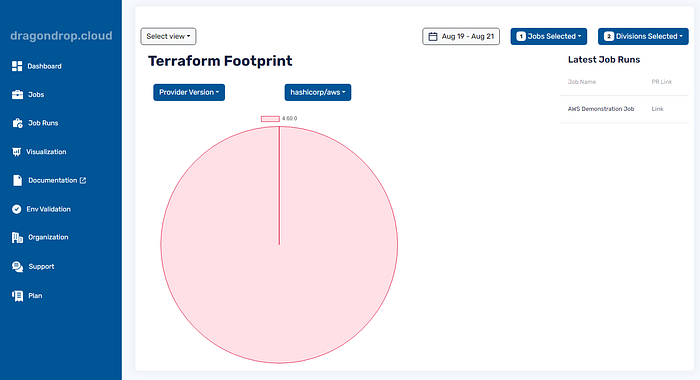
### Terraform Footprint <a href="#id-4e55" id="id-4e55"></a>

<figure><img src="https://miro.medium.com/v2/resize:fit:700/1*hhe4qLMnpKWotNv-9-q7PQ.png" alt="" height="381" width="700"><figcaption><p>Track Terraform, Terraform provider, and module versions across your cloud environment to ensure compliance with the latest versions.</p></figcaption></figure>

### Double-Click For Details Presented as a Pull Request <a href="#id-6251" id="id-6251"></a>

Once ready to rectify weaknesses identified within your cloud environment, simply click through to the latest cloud-concierge executions, and see the specific resources that have raised graphical concerns and how, along with Terraform codification and import statements when relevant.

An example [**Pull Request**](https://github.com/dragondrop-cloud/cloud-concierge-example/pull/2) can be found here.


---

# Agent Instructions: Querying This Documentation

If you need additional information that is not directly available in this page, you can query the documentation dynamically by asking a question.

Perform an HTTP GET request on the current page URL with the `ask` query parameter:

```
GET https://docs.dragondrop.cloud/product-docs/getting-started/cloud-perch-cloud-footprint-visualizations.md?ask=<question>
```

The question should be specific, self-contained, and written in natural language.
The response will contain a direct answer to the question and relevant excerpts and sources from the documentation.

Use this mechanism when the answer is not explicitly present in the current page, you need clarification or additional context, or you want to retrieve related documentation sections.